Friday, September 27, 2024

class :-6

 What is Microsoft Office?

Microsoft Office is a highly popular and versatile productivity software suite developed and published by Microsoft Corporation to facilitate a wide variety of document-centric organizational functions across virtually every business and industry.

The latest version carries this legacy forward with significantly expanded web and mobile functionality to enable mobile productivity on virtually every device.

The concept of MS Office was revolutionary in its ability to deliver tightly integrated software with complementary capabilities in an era when most programs still functioned as disconnected islands of functionality.

What Types of MS Office Are There?

Microsoft Office is a suite of productivity software that includes applications for various tasks, such as creating documents, analyzing data, and communicating effectively. It's used by millions of people around the world to enhance their work.

Microsoft Word

Imagine a tool that lets you write letters, reports, and essays with ease. That's Microsoft Word, a word processor that helps you create and edit documents with various formatting options, images, and tables.

You can even collaborate with others and track changes made to documents.

Uses at the workplace:

  • Creating documents such as letters, reports, and essays
  • Editing and formatting text
  • Adding images and tables
  • Creating templates and mail merge
  • Collaborating with others on documents
  • Reviewing and tracking changes to documents

Microsoft Excel

Think of a tool that organizes and analyzes data like a pro. That's Microsoft Excel, a spreadsheet program that helps you manage numbers, create charts and graphs, and perform calculations.

It's perfect for managing budgets, forecasting trends, and making data-driven decisions.

Uses at the workplace:

  • Organizing and analyzing data
  • Creating charts and graphs
  • Performing calculations
  • Using formulas and functions
  • Managing budgets and finances
  • Forecasting and trend analysis

Microsoft PowerPoint

Envision a tool that lets you create engaging presentations for meetings and conferences.

That's Microsoft PowerPoint, a presentation program that helps you design slides, add text, images, and videos, and incorporate animations for a captivating presentation experience.

Uses at the workplace:

  • Creating presentations for meetings and conferences
  • Adding text, images, and videos
  • Designing slides with different layouts and themes
  • Using animations and transitions
  • Rehearsing and presenting presentations

Microsoft Access

Think of a tool that helps you manage and analyze information effectively. That's Microsoft Access, a database management system that lets you store and manage data, create tables and queries, design forms and reports, and automate tasks with macros.

Uses at the workplace:

  • Storing and managing data
  • Creating tables and queries
  • Designing forms and reports
  • Automating tasks with macros
  • Analyzing data and generating reports

Conclusion

MS Office is a comprehensive suite of productivity software that empowers individuals and businesses to create documents, analyze data, manage information, and communicate effectively.

Its diverse applications, including Word, Excel, PowerPoint, Outlook, OneNote, Access, and Publisher, cater to a wide range of workplace needs, making it an indispensable tool for modern professionals.

Some Important Points :- 

What do you mean by MS Office?
Microsoft Office (MS Office) is a suite of productivity software created by Microsoft. It includes various applications like Word, Excel, PowerPoint, and Outlook, each serving different purposes such as word processing, data management, presentation creation, and email communication.

What is your MS Office?
The phrase your MS Office typically refers to the specific version and configuration of Microsoft Office that you have installed on your computer. This can vary widely, as MS Office includes several editions (like Home, Business, and Professional) and versions (such as Office 2019, Office 365, or the latest Office 2021) tailored to different needs and functionalities.

What is the use of MS Word Office?
MS Word, part of the Microsoft Office suite, is primarily used for creating and editing text documents. Its features support a variety of tasks including letter writing, report generation, and academic paper formatting. 


thanks for visite to this Website guys✌👇👇😉👐 ....................

👇👇🙏🙏  please support to my social media accounts


Facebookfacebook
Instagramdaviputin786
YouTubeyoutube
                                       ☝☝☝☝👍👍😇


Sunday, June 9, 2024

Class 7


This is your first page decoration..👍


This is your second page decoration..👍


And third page start this line ✨👇👇

How does network security work?

Network security combines multiple layers of defenses at the edge and in the network. Each network security layer implements policies and controls. Authorized users gain access to network resources, but malicious actors are blocked from carrying out exploits and threats.

How do I benefit from network security?

Digitization has transformed our world. How we live, work, play, and learn have all changed. Every organization that wants to deliver the services that customers and employees demand must protect its network. Network security also helps you protect proprietary information from attack. Ultimately it protects your reputation.

Types of network security

Firewalls

Firewalls

Firewalls put up a barrier between your trusted internal network and untrusted outside networks, such as the Internet. They use a set of defined rules to allow or block traffic. A firewall can be hardware, software, or both. Cisco offers unified threat management (UTM) devices and threat-focused.

Email security

Email security

Email gateways are the number one threat vector for a security breach. Attackers use personal information and social engineering tactics to build sophisticated phishing campaigns to deceive recipients and send them to sites serving up malware. An email security application blocks incoming attacks and controls outbound messages to prevent the loss of sensitive data.

Anti-virus and anti-malware software

Anti-virus and anti-malware software

"Malware," short for "malicious software," includes viruses, worms, Trojans, ransomware, and spyware. Sometimes malware will infect a network but lie dormant for days or even weeks. The best antimalware programs not only scan for malware upon entry, but also continuously track files afterward to find anomalies, remove malware, and fix damage.

Network segmentation

Network segmentation

Software-defined segmentation puts network traffic into different classifications and makes enforcing security policies easier. Ideally, the classifications are based on endpoint identity, not mere IP addresses. You can assign access rights based on role, location, and more so that the right level of access is given to the right people and suspicious devices are contained.

Access control

Access control

Not every user should have access to your network. To keep out potential attackers, you need to recognize each user and each device. Then you can enforce your security policies. You can block noncompliant endpoint devices or give them only limited access. This process is network access control (NAC).

Application security

Application security

Any software you use to run your business needs to be protected, whether your IT staff builds it or whether you buy it. Unfortunately, any application may contain holes, or vulnerabilities, that attackers can use to infiltrate your network. Application security encompasses the hardware, software, and processes you use to close those holes.

Class 8


This is your first page decoration..👍


This is your second page decoration..👍

And third page start this line ✨👇👇

What is cybersecurity all about?

A successful cybersecurity approach has multiple layers of protection spread across the computers, networks, programs, or data that one intends to keep safe. In an organization, the people, processes, and technology must all complement one another to create an effective defense from cyber attacks. A unified threat management system can automate integrations across select Cisco Security products and accelerate key security operations functions: detection, investigation, and remediation.

People

Users must understand and comply with basic data security principles like choosing strong passwords, being wary of attachments in email, and backing up data. Learn more about basic cybersecurity principles with these Top 10 Cyber Tips.

Processes

Organizations must have a framework for how they deal with both attempted and successful cyber attacks. One well-respected framework can guide you. It explains how you can identify attacks, protect systems, detect and respond to threats, and recover from successful attacks. Learn about the the NIST cybersecurity framework.

Technology

Technology is essential to giving organizations and individuals the computer security tools needed to protect themselves from cyber attacks. Three main entities must be protected: endpoint devices like computers, smart devices, and routers; networks; and the cloud. Common technology used to protect these entities include next-generation firewalls, DNS filtering, malware protection, antivirus software, and email security solutions.

Why is cybersecurity important?

In today’s connected world, everyone benefits from advanced cyberdefense programs. At an individual level, a cybersecurity attack can result in everything from identity theft, to extortion attempts, to the loss of important data like family photos. Everyone relies on critical infrastructure like power plants, hospitals, and financial service companies. Securing these and other organizations is essential to keeping our society functioning.

Everyone also benefits from the work of cyberthreat researchers, like the team of 250 threat researchers at Talos, who investigate new and emerging threats and cyber attack strategies. They reveal new vulnerabilities, educate the public on the importance of cybersecurity, and strengthen open source tools. Their work makes the Internet safer for everyone.

Types of cybersecurity threats

Phishing

Phishing is the practice of sending fraudulent emails that resemble emails from reputable sources. The aim is to steal sensitive data like credit card numbers and login information. It’s the most common type of cyber attack. You can help protect yourself through education or a technology solution that filters malicious emails.

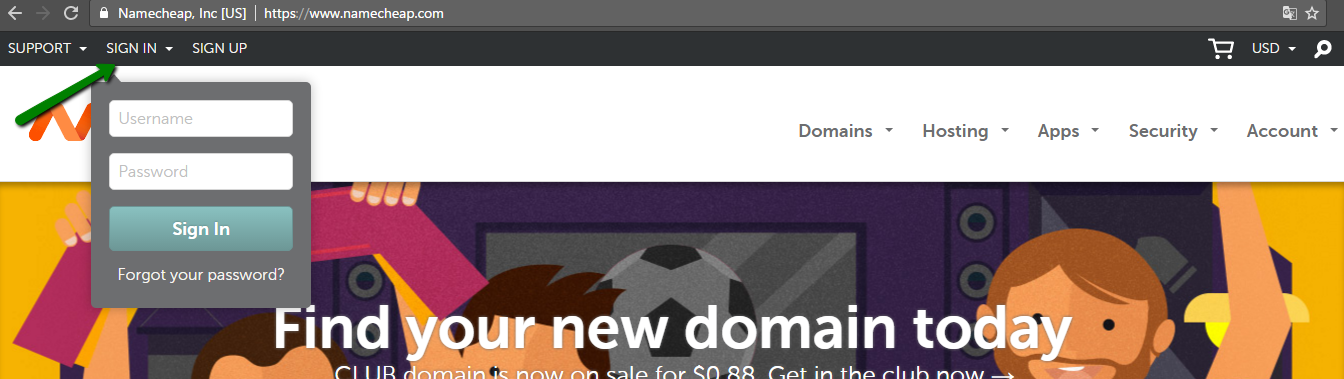
HOW TO CONNECT HOSTING

  किसी डोमेन को सर्वर या होस्टिंग से कैसे कनेक्ट करें डोमेन नाम सेट करना  आपके विचार से कहीं ज़्यादा आसान हो सकता है। एक बार आपका डोमेन नाम ...